media archive · for photographers and videographers on macOS
Every card in two verified copies: your drive and your own Deep Archive
One command, media-import, takes camera cards, drones and audio recorders to your working
drive and to S3 Glacier Deep Archive in your own AWS account. Every copy is checked, every file is indexed,
and every run checks the drive against the cloud again.
- $129 one-time for the software; storage about $0.99 per TB-month, billed by AWS
- Nothing is deleted without your confirmation
- Your footage never passes through us
── Found now ──
/Volumes/Untitled  card A7S III · serial 0x7c1f
  DCIM/100MSDCF/      412 files   142.6 GB  new
  PRIVATE/M4ROOT/      38 files    96.1 GB  new

── To be done after you confirm ──
/Volumes/T7/staging/2026/2026-10-10/a7s3/
  To be copied        450 files   238.7 GB
s3://studio-staging/2026/2026-10-10/a7s3/
  To be uploaded      450 files   DEEP_ARCHIVE

Copy, compare and upload? [y/N] y
✔ 450 of 450 copies match the card by checksum
✔ 450 of 450 objects stored as DEEP_ARCHIVE
Offload apps stop at your desk
A good offload app proves the copy on your drives. Then the archive is someone else's problem: a second tool, a second bill, and usually hot cloud storage at about $7 to $8 per TB-month. Drives get full, drives fail, and a stolen bag takes the only two copies with it.
media archive keeps going. Each file gets a second home in Glacier Deep Archive in your own AWS account, at about a seventh of the price of hot storage, and the tool keeps checking that both copies still agree.
How it works
-
Plug in the card
media archive recognises the card, drone or recorder by its hardware ID and copies only new files to your staging drive. Files you already have are recognised by content, whatever their name.
-
Two copies, both checked
The drive copy is compared with the card; the S3 copy goes straight into Deep Archive as its own object, and its storage class is checked after the upload. Card files are removed only on request, each after a byte-for-byte comparison.
-
Archive the finished work
Move finished projects to your archive drive and rename folders by client or project. The path index records the move; nothing is uploaded again, so you never pay twice for the same footage.
Built by a DevOps engineer who would not trust a script
Checks on every run
A random 3% of files on both drives is re-hashed and compared with S3's own checksums, with no download and no restore.
Nothing silent
Every plan lists folders, counts and sizes before it runs. A deletion needs you to type the word delete.
Deletes only what is safe
A staging copy in S3 is removed only once the archive holds the same content. An error can only keep a file, never remove it.
90 days to undo
The buckets keep versions: an object deleted or overwritten by mistake stays recoverable for 90 days.
Duplicates stop the archive
Two files with identical content stop the archive stage until you allow them, so exports and deliveries never pile up unseen.
Health check at the end
Index against bucket, storage class, held copies and locks: every run ends with a line per check, green or red.
How it compares
From each vendor's own pages, checked October 9, 2026. Prices in USD. "Not found" means the vendor's own pages and docs do not describe it; it may still exist.
| What you need | media archive | Hedge OffShoot Pro | YoYotta v4 | Stow | Lastcard |
|---|---|---|---|---|---|
| Verified copy from the card | Yes | Yes | Yes | Yes | Yes |
| Copy in your own S3 bucket | Yes | Yes | With YoYotta Server | No (no cloud copy) | No (no cloud copy) |
| Stored in Glacier Deep Archive | Yes, every upload | No (Standard class) | Shows the class; restore in the AWS console | No (no cloud copy) | No (no cloud copy) |
| Move or rename folders without uploading again | Yes (path index) | Not found | Not found | No (no cloud copy) | No (no cloud copy) |
| Drive checked against the cloud copy, no restore | Yes, 3% every run | Not found | Not found | No (no cloud copy) | No (no cloud copy) |
| ASC MHL report | Not yet | Yes | Yes | Yes | Yes |
| Graphical app | No (terminal) | Yes | Yes | Yes | Yes |
| Price as published | $129 one-time | $249 one-time | $110/yr + Server $400–800/yr | Free | $59 one-time |
Pick an offload app if you want a graphical app and ASC MHL reports today. Pick media archive if the cold copy in your own AWS account is the part you are missing.
Know the bill before AWS sends it
Storage is billed by AWS to your account. These are AWS's published Deep Archive prices for US East; your region may differ slightly.
media archive does not yet show the cost in its plan before you confirm; a cost preview is planned.
- Storage
- about $0.99 per TB-month
- 20 TB archive
- about $20 a month
- Minimum
- 180 days per object
- Restore 10 TB
- about $25 retrieval + $900 egress
- Restore wait
- within 12 h, or 48 h at Bulk
Price
$129 one-time
The average price of comparable one-time offload apps: Lastcard $59, ShotPut Pro $169 and Hedge OffShoot $169.
Request early accessPay once for the software, pay AWS for the storage
- No subscription and no per-seat fee for the software
- Storage is billed by AWS to your own account, never marked up by us
- Early access: we set up the buckets and the index in your AWS account with you on a call
Made for one kind of person
- A freelance videographer or photographer, or a studio of 2 to 10 people, on macOS
- Several TB a week from cameras, drones, audio recorders and recording SSDs
- No full-time DIT: the shooter or an assistant does the data work
- Wants proof the footage is safe, and the cost known in advance
What it does not do yet
- No graphical app: it is a terminal command
- macOS only, one person, one archive drive
- No ASC MHL report yet; the proof is in the run log
- No restore command yet; restores use the AWS CLI
- Folders are named by import day, not capture date
It already guards one archive
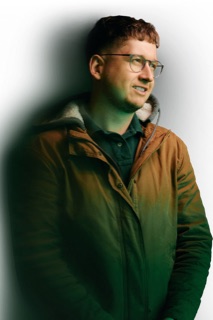
media archive was written by Max Onyx, a DevOps engineer and co-founder of CodeLaw, for his own photo and video archive: about 436,000 files on his archive drive and in Deep Archive. Many of the checks on this page exist because a real run needed them.
Early access means you run it on your own data, with Max on a call to set up the buckets and the index in your AWS account.
Questions
Do my files pass through CodeLaw?
No. media archive runs on your Mac and uploads to buckets in your own AWS account. CodeLaw never receives your footage, and AWS bills the storage to you directly.
Will it format or wipe my cards?
It never formats a card. It deletes files from a card only when you ask for it, and then each file only after its copy on the drive has been compared byte for byte.
What does storage cost?
S3 Glacier Deep Archive costs about $0.99 per TB per month, so 20 TB is about $20 a month. Every object is billed for at least 180 days. Getting files back costs extra: a 10 TB restore is about $25 of retrieval plus about $900 of AWS egress.
How do I get files back from Deep Archive?
Your drive is the working copy, so the cloud copy is the disaster-recovery path. There is no restore command yet: you request a restore with the AWS CLI (ready within 12 hours, or 48 hours at the cheaper Bulk tier) and download it. The index tells you where each object belongs on the drive.
Can I reorganise folders by client or project?
Yes. Rename and move folders on the archive drive as you like: media archive updates only its index, and nothing is uploaded again. New imports land in year and import-day folders.
How do I know the cloud copy is still good?
Every run re-hashes a random 3% of the files on both drives and compares them with the checksums S3 recorded at upload, without downloading anything. A full check of every file runs on demand.
Does it run on Windows, or with a graphical app?
Not today. media archive is a terminal command for macOS, used by one person on one Mac. A graphical app may come later.
What does media archive itself cost?
$129, paid once, for the software. That is the average price of comparable one-time offload apps (Lastcard, ShotPut Pro, Hedge OffShoot). AWS storage is billed to you separately by AWS.
Put your next card in two places
Early access is open to a few photographers and videographers. Write to us or book a call.